CADBoost Product

CADBoost PFD

An independent desktop Process Flow Diagram application with no AutoCAD required, integrated engineering calculations, reusable symbol libraries and clean PFD documentation output.

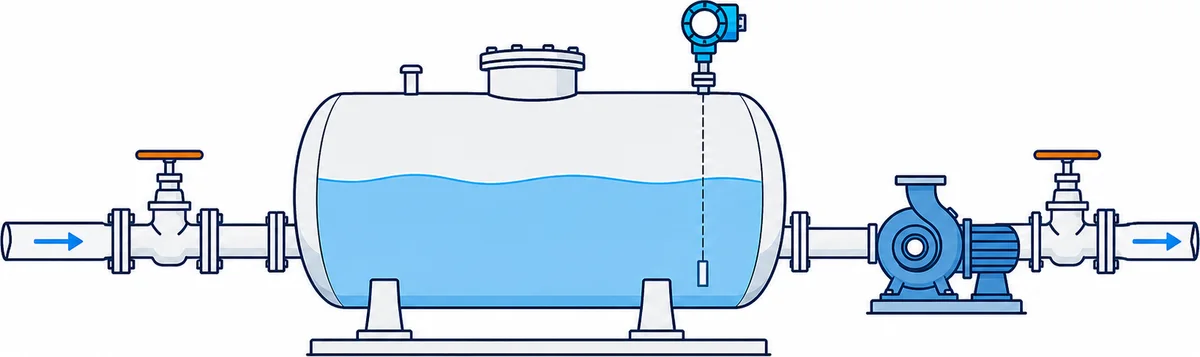
CADBoost PFD icon PFD water storage and transfer system with tank, pump, valves and level transmitter

What CADBoost PFD Helps You Do

Designed for engineers who need a standalone PFD workflow: reusable symbol libraries, calculation modules and linked design data live in one desktop application.

💻

Independent Desktop App

Create and manage PFD projects in a dedicated desktop application built for process workflow.

🔒

No AutoCAD Required

Draw process diagrams without depending on AutoCAD licenses, templates or CAD setup.

📦

Reusable Symbol Libraries

Drag equipment symbols such as pumps, fans, tanks, boilers, heat exchangers and treatment units into the canvas.

📊

Integrated Engineering Calculations

Use modules for boiler, accumulator, dryer, thermal oil heater and process equipment workflows.

🔗

Dynamic Data Linking

Drag calculation parameters into drawings and keep labels updated when module results change.

📄

Clean PFD Documentation

Export drawing tabs to PNG, JPG or PDF with paper, scale and documentation controls.

Drawing & Documentation

CADBoost PFD combines drafting controls with practical output tools for engineering documents.

  • Ribbon interface for drawing, shapes, font, colors, stroke and view controls.
  • Paper sizes, zoom, grid display and orthogonal drawing mode.
  • Group, ungroup, lock, unlock, bring to front and send to back operations.
  • Export current drawing tab to PNG, JPG or PDF with paper and scale options.
  • Save full project data in a protected `.pfd` file format.

Engineering Modules

The app includes calculation windows that can push results into the PFD workspace.

  • Boiler and combustion/process calculations.
  • Thermal oil heater and heat system workflows.
  • Accumulator steam charge/discharge calculations.
  • Dryer energy balance workflows.
  • Scientific calculator and plotting support for engineering checks.

Typical Workflow

  • Create a new PFD tab and select paper size.
  • Drag equipment from the component library into the canvas.
  • Draw process lines with arrows, labels and shapes.
  • Run a calculation module and review parameters in the Parameter Dock.
  • Drag linked parameters into the drawing so values update with recalculation.
  • Export final documentation to image or PDF.

Customization

CADBoost PFD supports real drafting habits: users can tune the workspace and component assets to match their company workflow.

  • Light and dark theme modes.
  • Custom font and color editors.
  • Workspace background color per drawing tab.
  • Component Manager for converting image assets into transparent PNG symbols.

Build PFDs With Engineering Data Attached

CADBoost PFD is based on the PFD Design Tool desktop app for building process flow diagrams with engineering data attached.

Contact About CADBoost PFD